Mimi 2.0 Documentation
Thank you for choosing Mimi. This guide covers everything from installation to the front-end member Dashboard. Mimi works without any plugin; the free Mimi Core plugin (included) adds submissions, login, views, share links, widgets, Elementor widgets and the demo importer.
Installation
Download the main file from ThemeForest and unzip it. Inside you find mimi.zip (theme), mimi-child.zip (child theme), this documentation and the licensing folder.
Install from the dashboard
- Go to Appearance > Themes > Add New > Upload Theme.
- Choose
mimi.zip, click Install Now, then Activate. - Optional but recommended: upload and activate
mimi-child.zipthe same way. The child theme keeps your own CSS and PHP safe during updates.
Install by FTP
Unzip mimi.zip and upload the mimi folder to /wp-content/themes/. Then activate it in Appearance > Themes.
upload_max_filesize and post_max_size to 64 MB, or use FTP.Plugins (TGMPA)
After activation a notice offers the recommended plugins. Click Begin installing plugins, select them, choose Install, then Activate.
| Plugin | Status | What it adds |
|---|---|---|
| Mimi Core (bundled) | Recommended | Front-end submission, My Submissions, member Dashboard, Mimian role, AJAX login/register, post views and trending, share links, author profiles, 7 widgets, 5 Elementor widgets, demo import, newsletter list. |
| Elementor (free) | Optional | Drag-and-drop pages with the Mimi widgets (Magazine page in the demo). |
Everything else (sticky sidebar, load more, login, views, share) is built in. No third-party plugins are required.
Demo import
- Activate Mimi and Mimi Core.
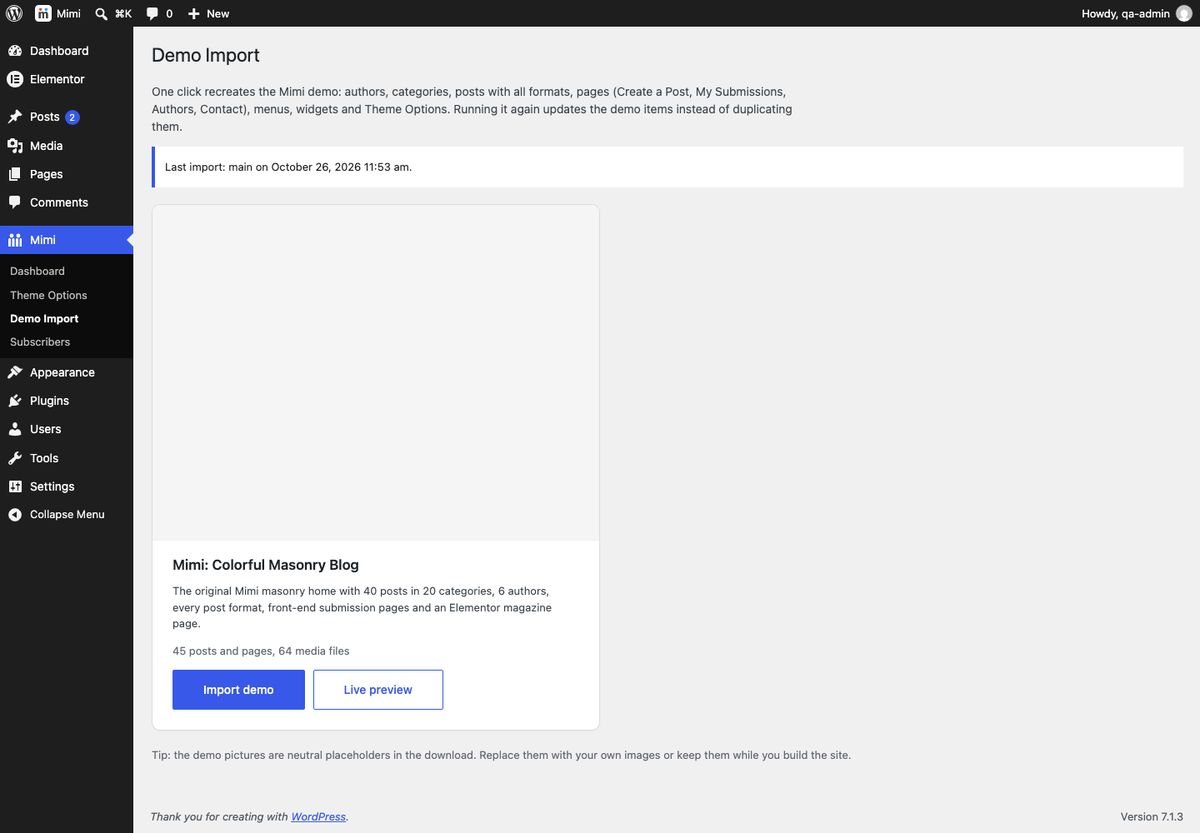
- Open Mimi > Demo Import and click Import demo.
- Wait for the progress bar (about one minute). Done: the link opens your new home page.
The import adds 6 authors, 20 categories, 40 posts in every format (standard, video, audio, gallery, quote) with photos, comments and view counts, the pages Create a Post, My Submissions, Dashboard, Meet the Authors and Contact Us, two menus, all widgets, the site icon and the Theme Options. With Elementor active it also adds the Magazine (Elementor) page.
Running it again is safe: demo items are updated, never duplicated, and your own posts stay. Your previous options and widgets are saved first (option mimi_core_demo_backup). Developers can also run wp mimi-core demo import main.
Theme Options
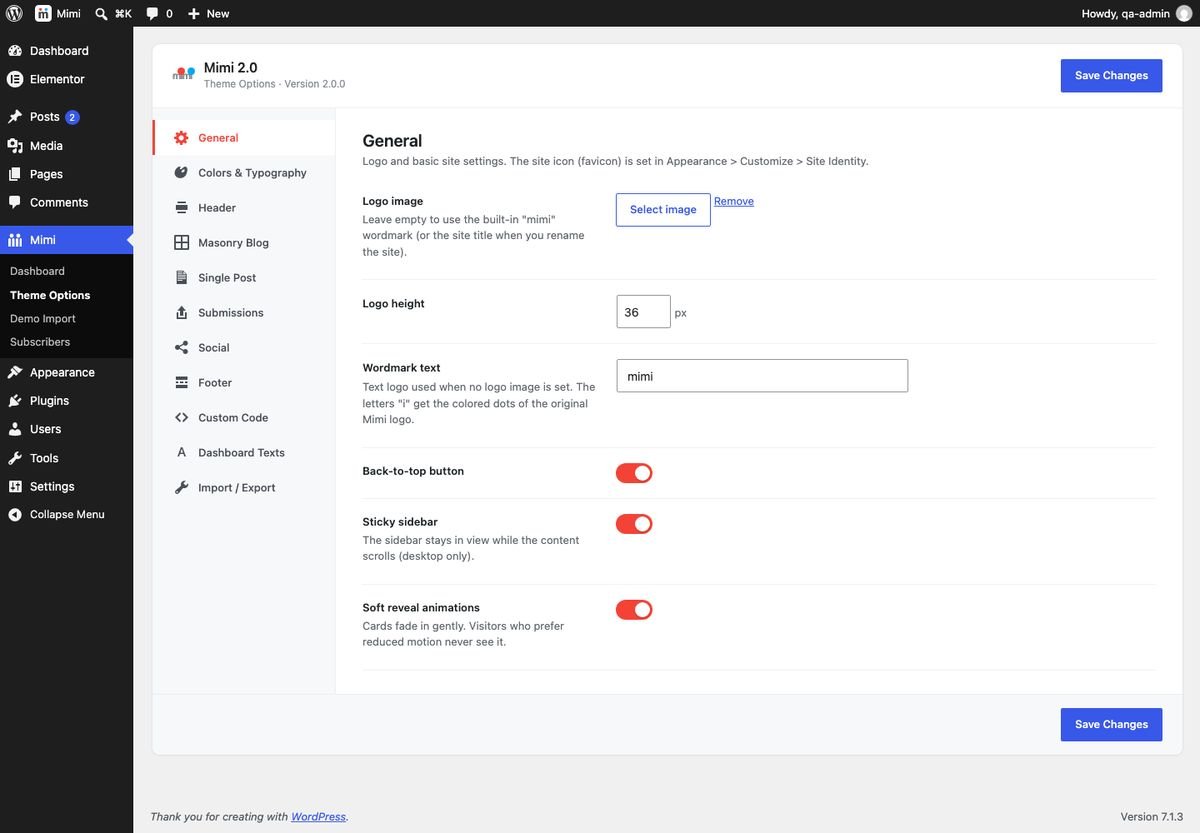
All settings live in Mimi > Theme Options (or Appearance > Mimi Options without Mimi Core). Settings are saved in one option, mimi_option.
| Tab | Settings |
|---|---|
| General | Logo image and height, wordmark text (the built-in "mimi" logo with colored dots), back-to-top button, sticky sidebar, soft reveal animations. |
| Colors & Typography | Accent (default #F44336), page background, headings, body and muted text colors, body and heading fonts (bundled Roboto, system fonts or Google Fonts), article text size. |
| Header | Sticky header, search field and placeholder, social icons, user menu, "Create a post" button, off-canvas menu and its intro text. |
| Masonry Blog | Columns (2/3/4), sidebar on the home and on archives, pagination (load more, infinite scroll, numbers), card color mode, palette, per-category colors, colored border, card parts, excerpt length, play video/audio inside the card, archive header box. |
| Single Post | Default post style, sidebar position, share bars and networks, meta row items, tags, author box, previous/next, related posts (cards or big titles) and count. |
| Submissions | Accept submissions, who can submit (members or guests), owner account of guest posts, pending or published, Submit / My Submissions / Dashboard pages, role of new members, wp-admin lock, allowed categories, image required, max size, minimum words, max tags, submissions per hour, notification emails, delete pending posts, thank-you text, login modal. |
| Social | Profile URLs for the header, off-canvas panel and the Follow widget. Empty fields are hidden. |
| Footer | Footer widget columns, colorful footer menu, copyright text ({year} and {site} placeholders). |
| Dashboard Texts | Every label of the front-end Dashboard (tabs, titles, messages). |
| Custom Code | Custom CSS printed after the theme styles. |
| Import / Export | Download all options as JSON, import them on another site, or reset everything. |
The site icon (favicon) is set in Appearance > Customize > Site Identity.
Masonry & cards
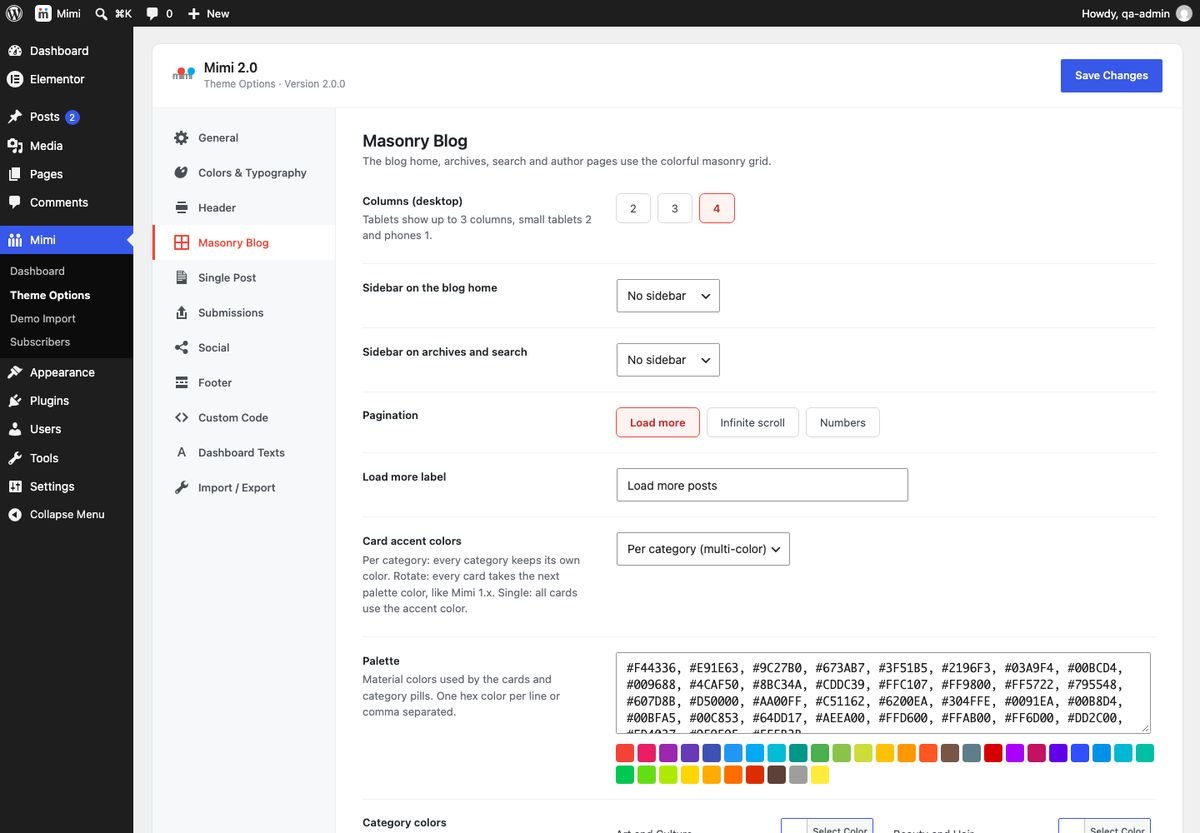
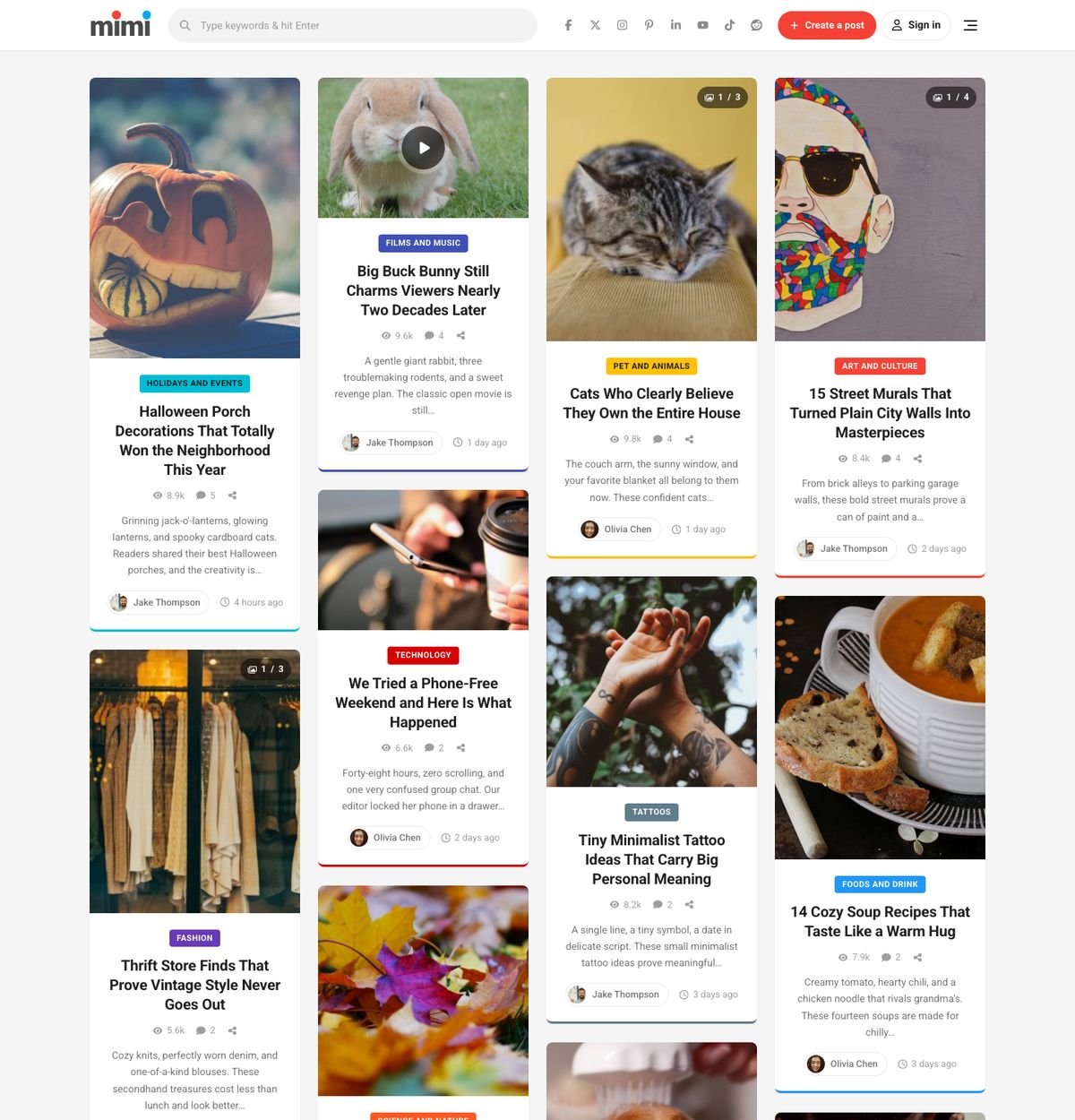
The blog home, category, tag, author, date and search pages all use the masonry grid. Images keep their natural height, so the grid looks like a Pinterest board. Columns adapt automatically: up to 3 on tablets, 2 on small tablets and 1 on phones.
Card colors
- Per category (default): each category always gets the same palette color, used on the card border and the category pill.
- Rotate: every card takes the next palette color, like Mimi 1.x.
- Single: all cards use the accent color.
Change the palette (35 Material colors by default) or fix a color per category in the same tab. Text on pills switches between white and dark automatically for contrast.
Pagination
Load more appends the next page with a soft fade, Infinite scroll loads it when the visitor nears the end, Numbers shows classic page links. All three work without extra endpoints and keep normal page URLs for search engines.
The number of posts per page is Settings > Reading > Blog pages show at most (12 in the demo).
Post formats
Choose the format in the post editor sidebar (Post > Format) and fill the matching field in the Mimi Post Options box.
| Format | Field | On the card | On the post |
|---|---|---|---|
| Standard / Image | Featured image | Image | Image |
| Video | Video URL (YouTube or Vimeo) | Image with a play button; the player loads only after a click | Embedded player (privacy-enhanced YouTube) |
| Audio | Audio file URL (MP3) or a link in the content | Image + small player | Image + player |
| Gallery | Gallery images (Select images button) | Swipeable slider with counter | Large slider |
| Quote | Quote + author | Colored quote card | Colored quote block |
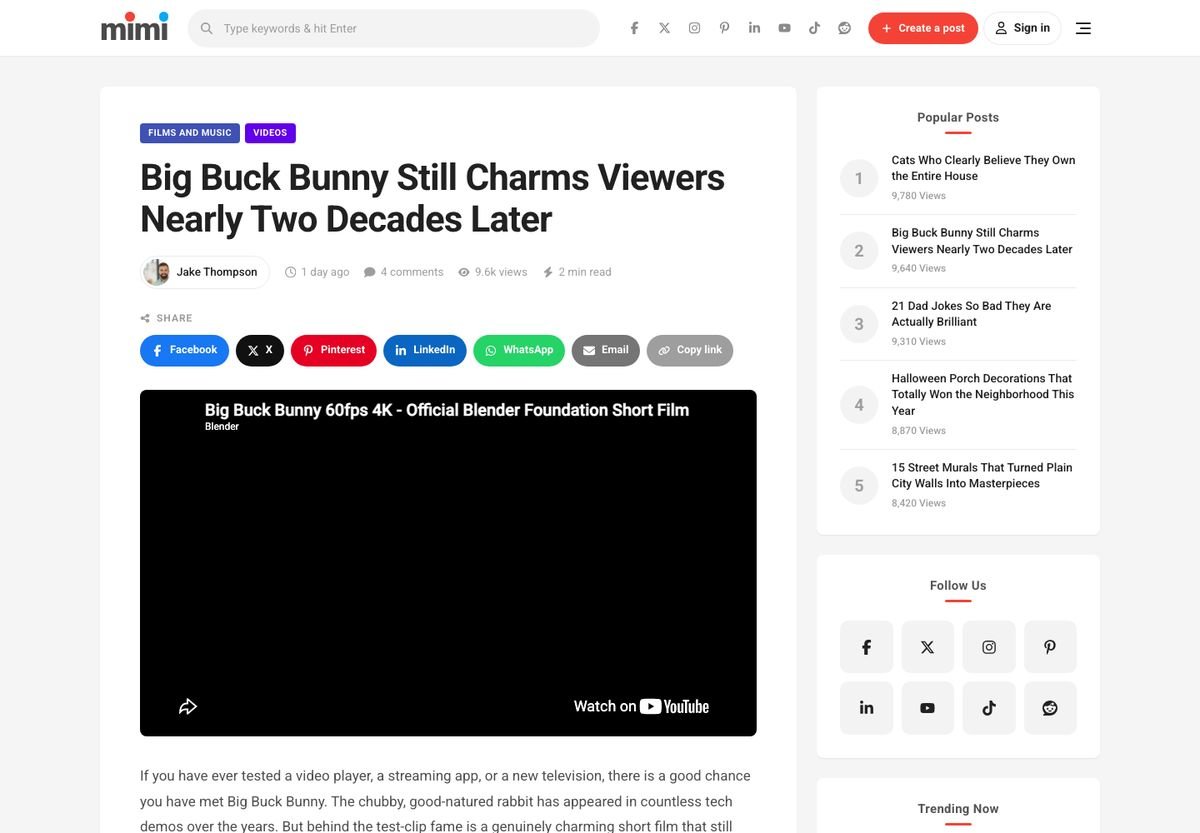
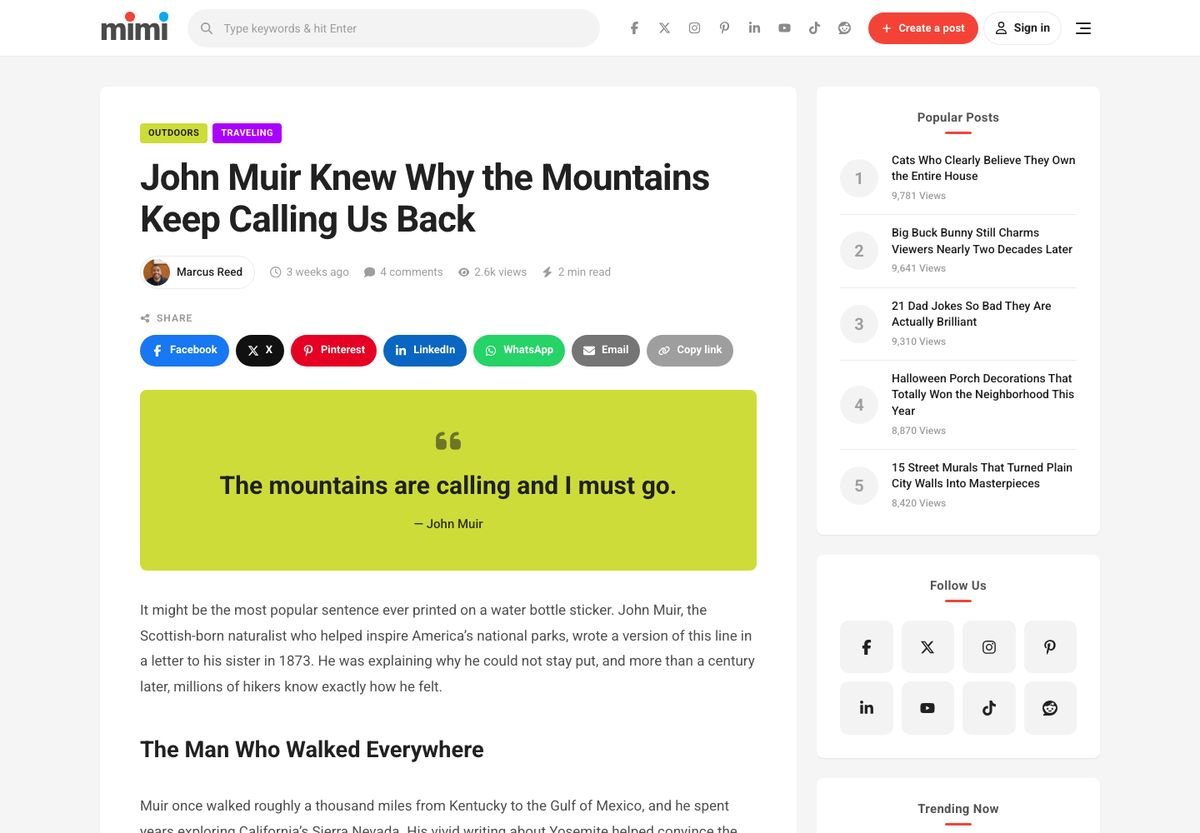
Without Mimi Core the theme falls back to the first YouTube/Vimeo link, MP3 link, gallery or blockquote in the content.
Single post styles
Pick the default in Theme Options > Single Post; override it for one post in the Mimi Post Options box.
- Style 1: Classic - title, meta and share bar, then the image.
- Style 2: Image first - the image spans the top of the article box.
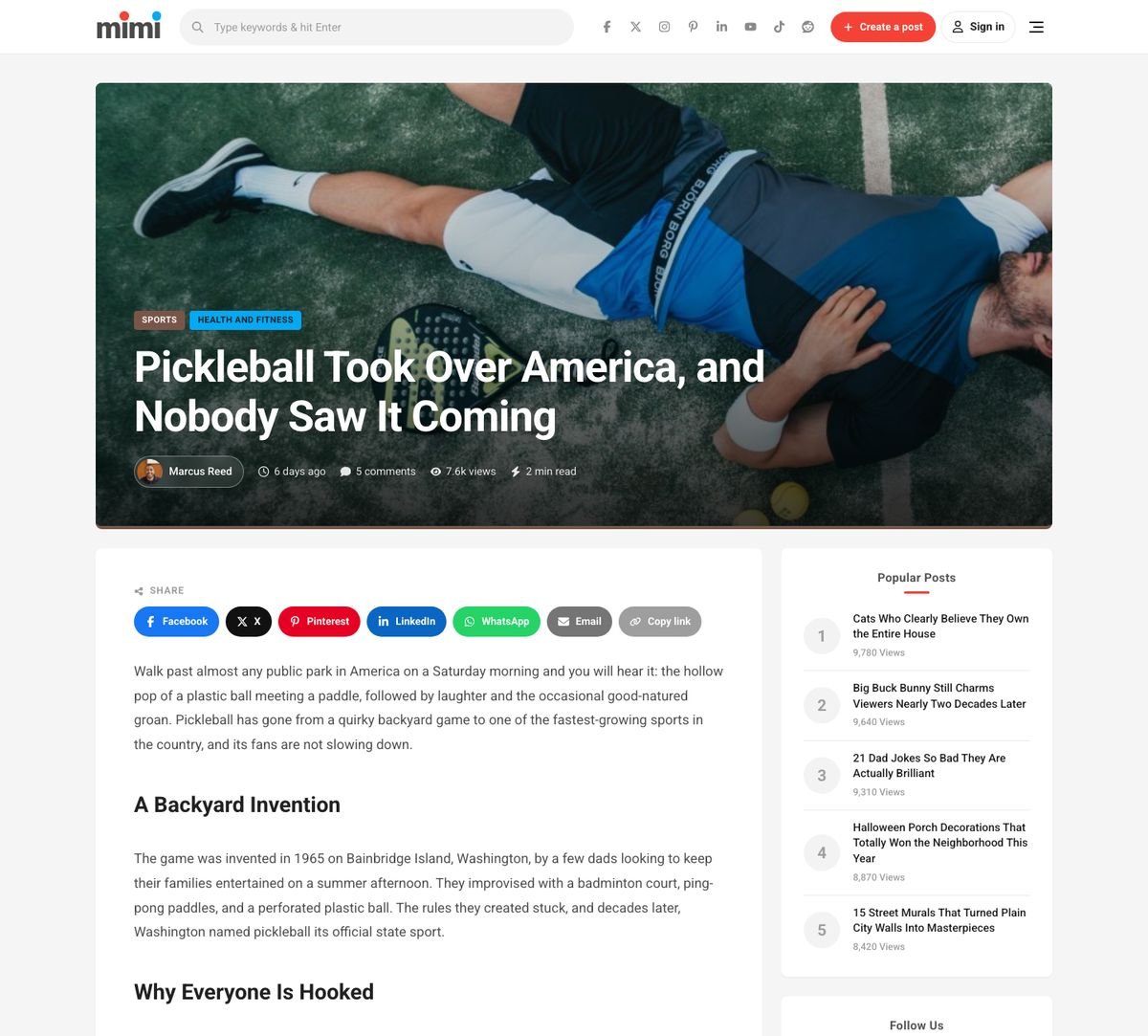
- Style 3: Full-width hero - a large image with the title over it (falls back to style 1 when the post has no image).

Elementor widgets
With Elementor active, find the Mimi category in the widget panel. Use the Full Width page template for Elementor pages. Every section title is editable inline.
| Widget | Main settings |
|---|---|
| Masonry Post Grid | Categories, number, order (latest, most viewed, trending, most commented, random), offset, columns 2/3/4, card parts, pagination (none, load more, infinite). |
| Trending / Viral Posts | Rank by 7-day views, all-time views or comments; numbered image cards (2-4 columns) or a ranked two-column list. |
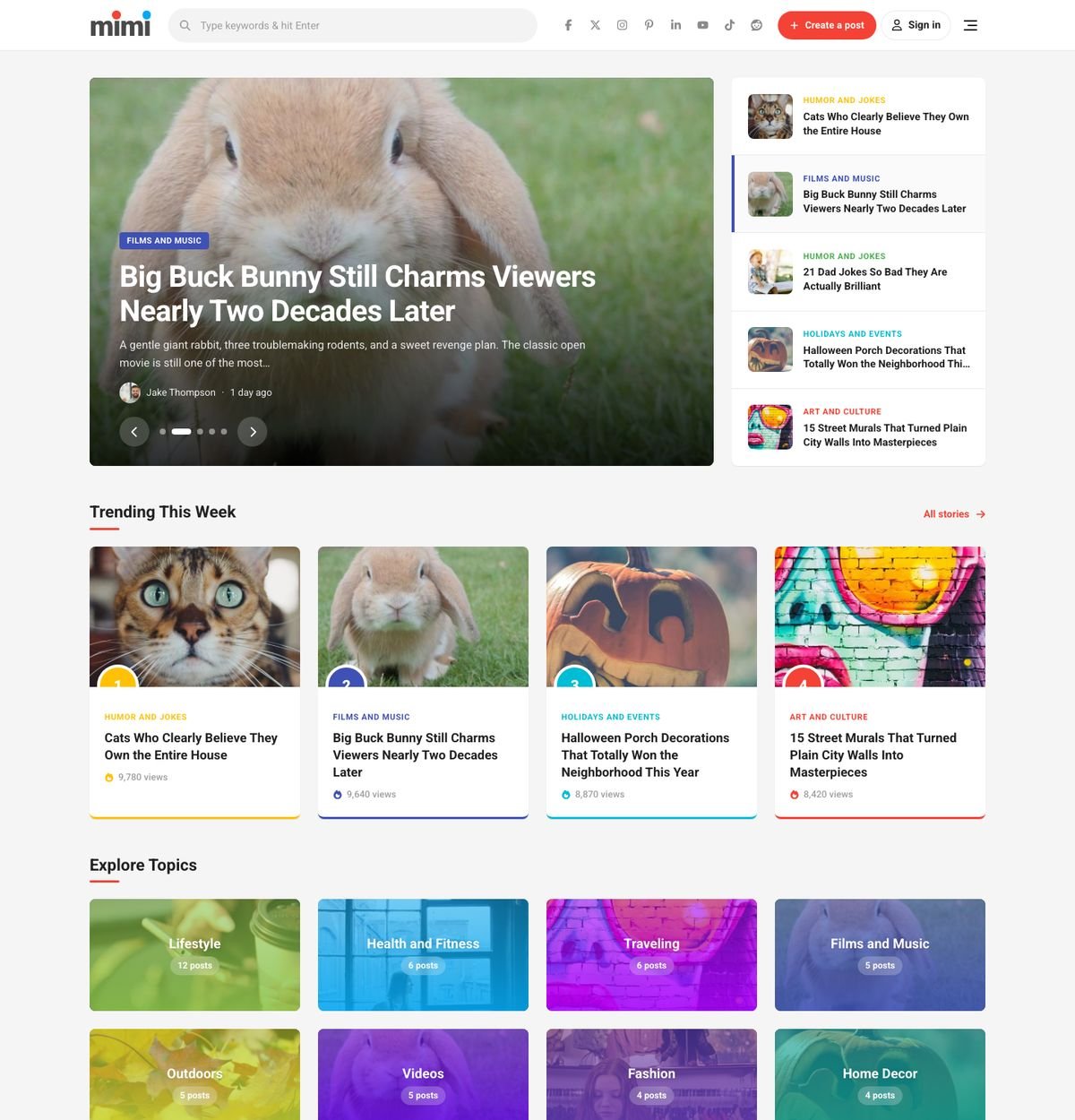
| Featured Slider | Posts and order, height, side list of the next stories, autoplay and interval, excerpt. Soft fade, swipe and keyboard friendly. |
| Category Boxes | Pick categories or the biggest ones, columns 2-6, photo with color overlay or solid color, post counts. |
| Newsletter | Band or centered box, label, title, text, placeholder, button, note, background color. Sign-ups go to Mimi > Subscribers (CSV export). |
User submissions
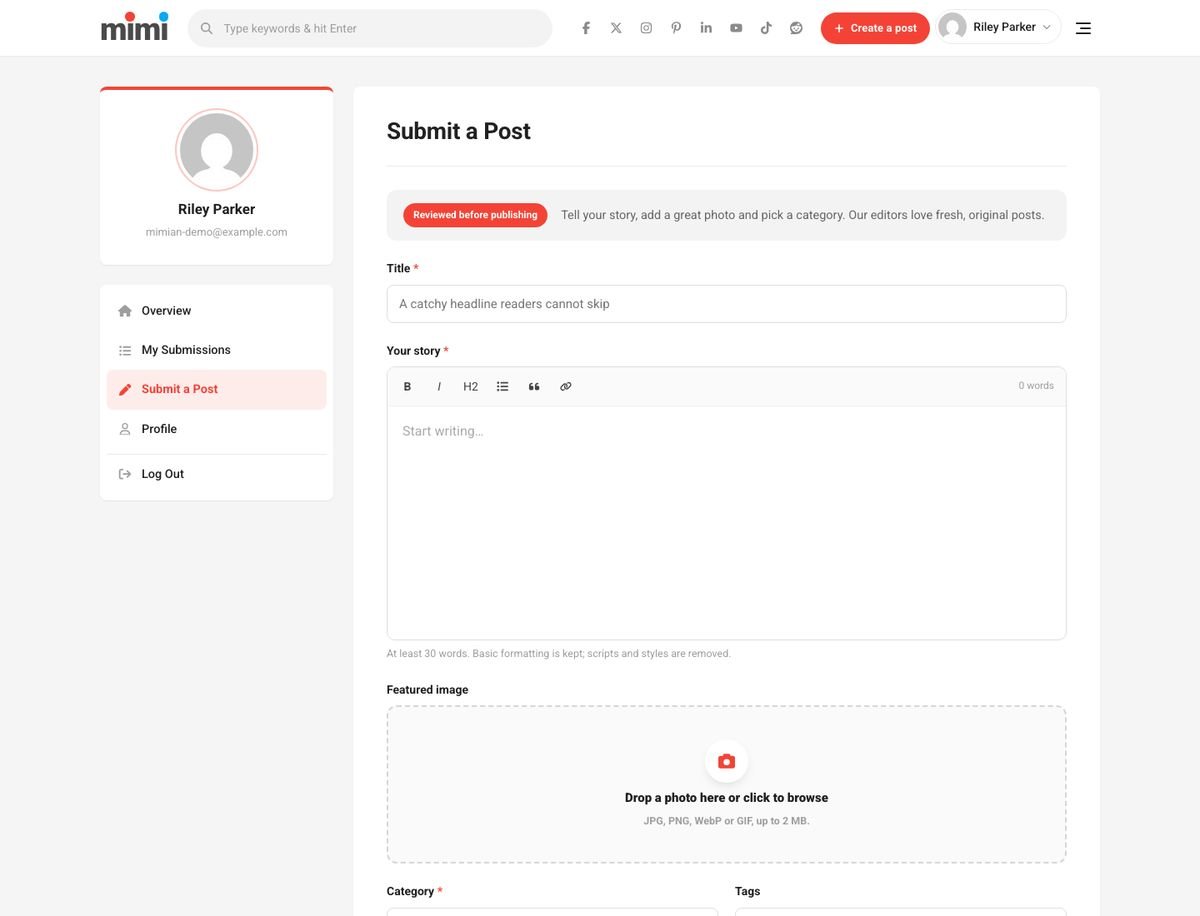
Readers write posts from the front end, with a featured image, category and tags. Setup (done by the demo import):
- Create a page with the
[mimi_submit_form]shortcode (template "No Sidebar") and select it in Theme Options > Submissions > Submit page. - Create the Dashboard page (see below) or a page with
[mimi_my_submissions]. - Enable Settings > General > Anyone can register if members should sign up themselves.
- Choose Who can submit (members only or guests too) and whether new posts are Pending review or Published immediately.
Security and spam protection
- Nonces, capability checks and a whitelist of categories.
- Content filtered to basic formatting (paragraphs, bold, italic, headings, lists, quotes, links).
- Real image check (JPG, PNG, WebP, GIF), size limit, minimum 200 x 150 px.
- Hidden honeypot field, signed minimum fill time and a per-user/IP hourly limit. No CAPTCHA needed.
Moderation
Pending posts appear in Posts (the count shows in the admin menu). The admin gets an email for each submission; the author gets an email when the post is approved. Members can edit or delete their own pending posts from the Dashboard.
Mimian role & admin lock
Mimi Core adds the Mimian role for community members. It has only two capabilities: read and upload_files (needed for submission photos). It is the default role for new registrations; change it in Theme Options > Submissions > Role of new members (Mimian, Subscriber or the WordPress setting).
Keep wp-admin for administrators (on by default): everyone without manage_options who opens /wp-admin/ is sent to the front-end Dashboard and never sees the admin bar. AJAX, admin-post, uploads, REST, cron and WP-CLI keep working. To let editors in, add to the child theme:
add_filter( 'mimi_core_admin_access_cap', function () {
	return 'edit_others_posts';
} );
Deleting Mimi Core removes the role cleanly: its members become Subscribers.
Front-end Dashboard
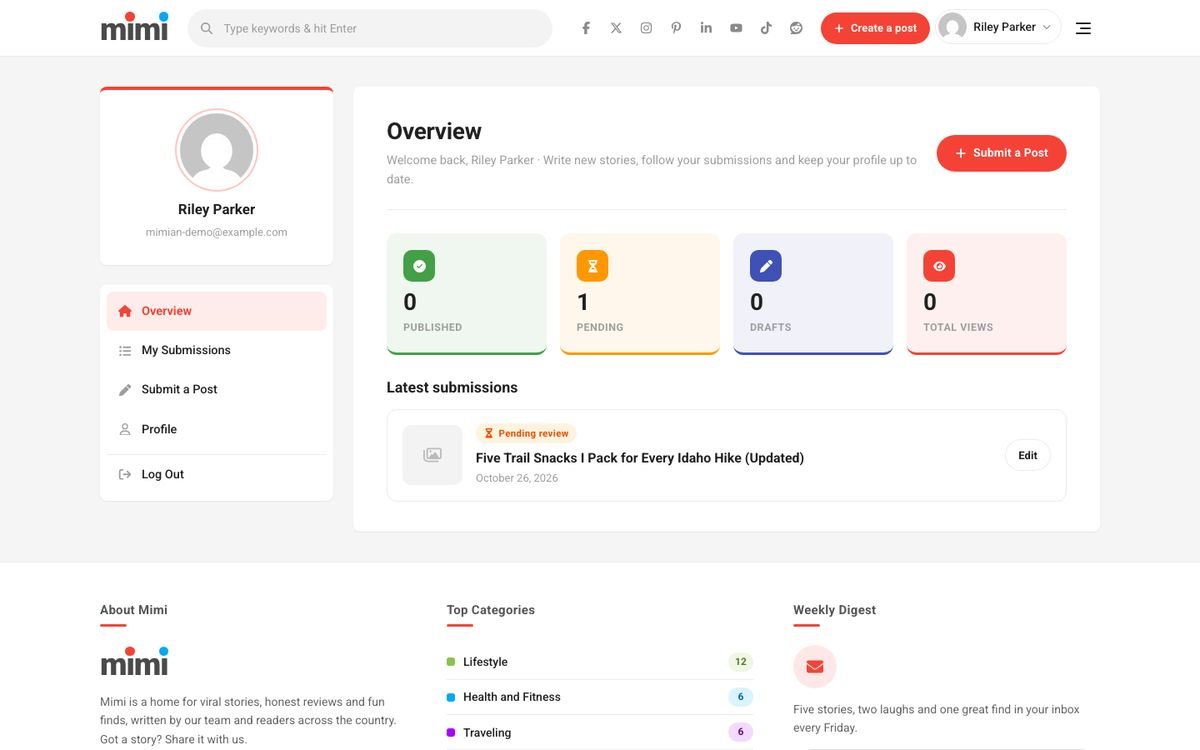
Create it with one click in Mimi > Dashboard > Create the Dashboard page (or add [mimi_dashboard] to a page with the Full Width template and select it in Theme Options > Submissions).
- Overview: published, pending and draft counts, total views, latest submissions.
- My Submissions: every post with its status, Edit and Delete for pending posts.
- Submit a Post: the submission form.
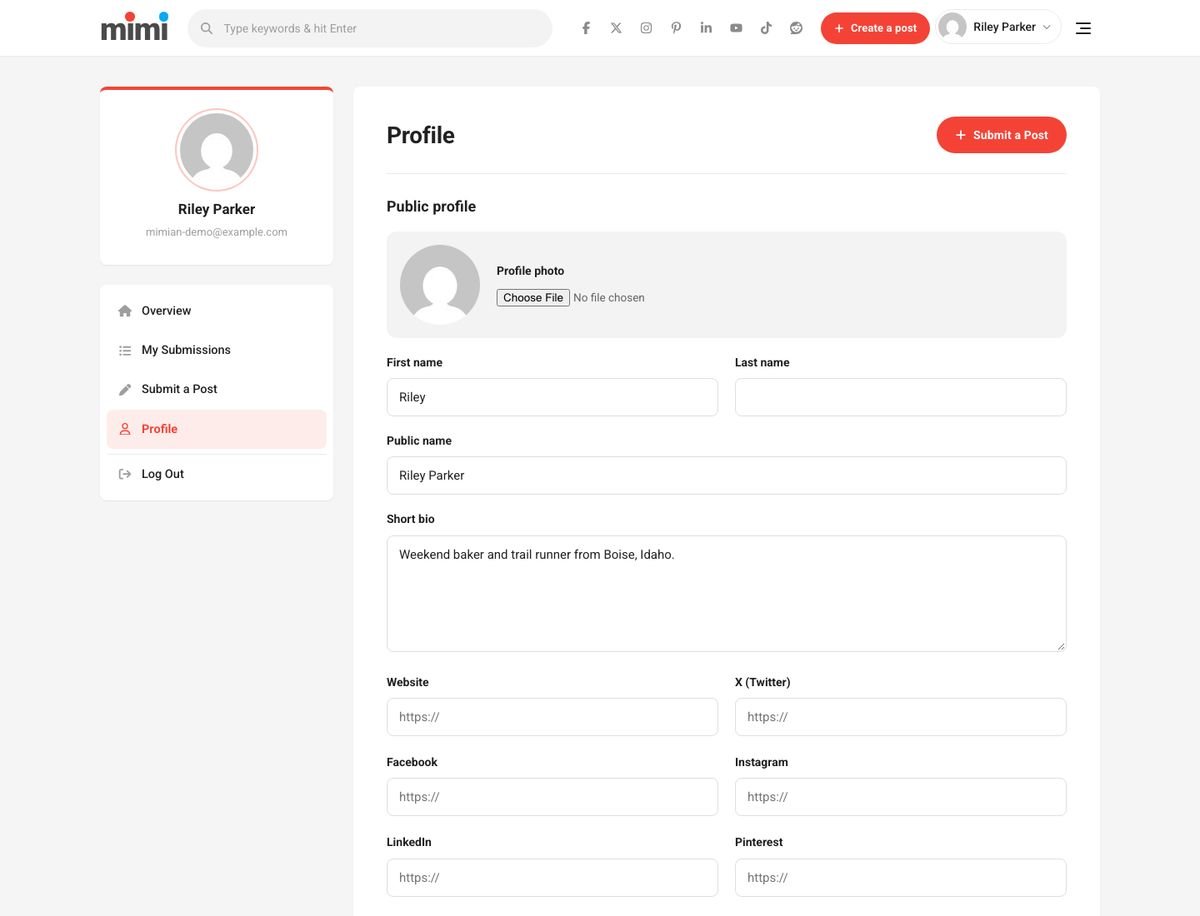
- Profile: name, bio, profile photo, social links and password change (current password required).
- Log Out.
Logged-out visitors see the sign-in and registration forms. After login members land on the Dashboard (administrators keep going to wp-admin); a safe redirect_to on the same site is respected. Logging out returns to the home page. All labels are editable in Theme Options > Dashboard Texts.
Login & registration
The user icon in the header opens an AJAX modal with sign in, register and lost password. It works with page caching (fresh security token on open), limits attempts and has a honeypot. Logged-in users see their avatar with a menu: Dashboard, Create a post, My Submissions, public profile, Profile, Log out. Turn the modal off in Theme Options > Submissions to use the normal WordPress login page.
Page templates & shortcodes
| Template | Use |
|---|---|
| Default | Page with the sidebar. |
| No Sidebar | Centered boxed page (Submit, Contact). |
| Full Width | Content across the container without a box (Elementor pages, Dashboard). |
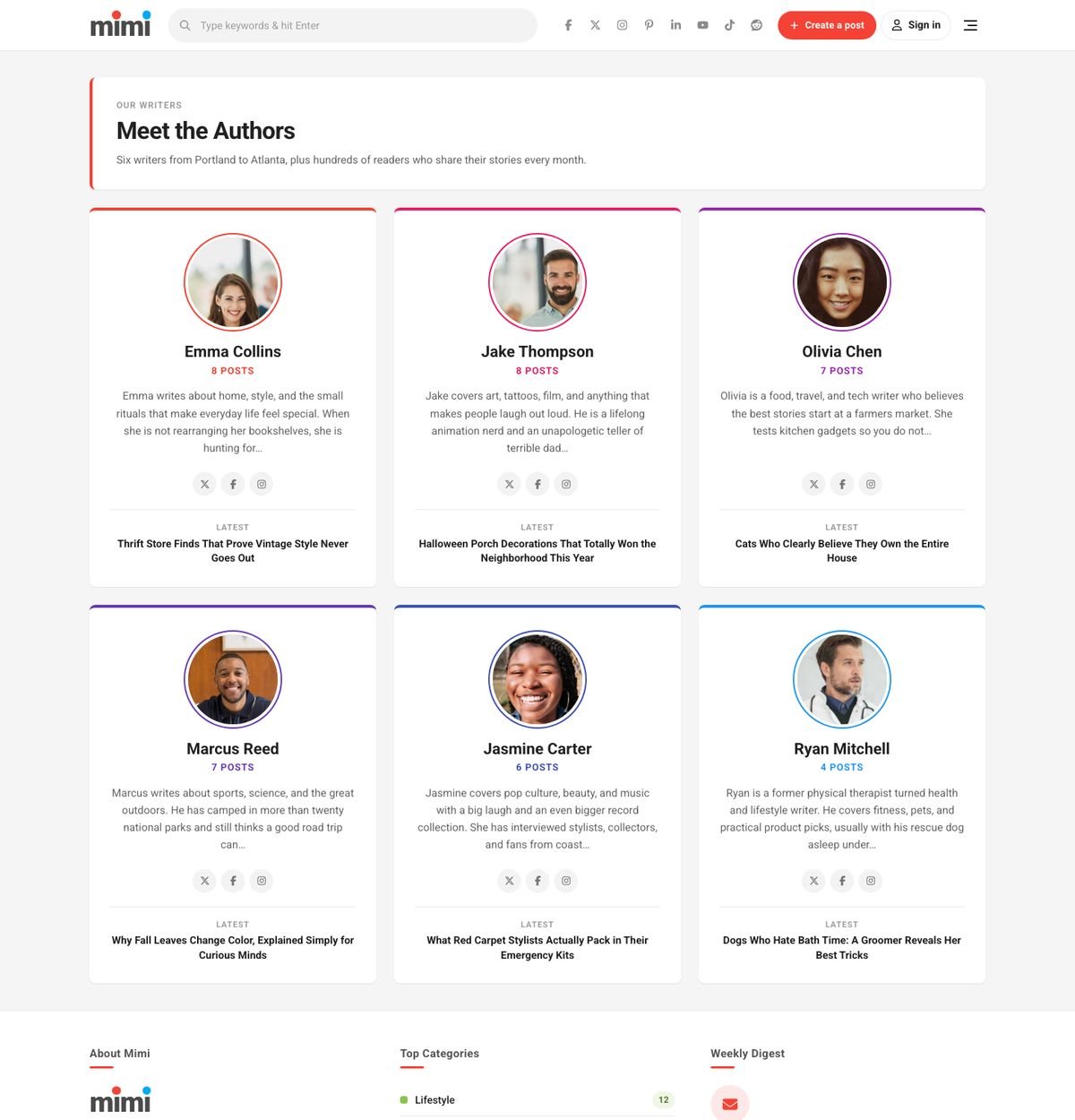
| Authors | All authors with photo, bio, social links, post count and latest post. |
Shortcodes: [mimi_dashboard], [mimi_submit_form], [mimi_my_submissions], [mimi_contact_form], [mimi_newsletter].
Translation & RTL
Mimi (text domain mimi) and Mimi Core (mimi-core) are translation ready. Templates: mimi/languages/mimi.pot and mimi-core/languages/mimi-core.pot. Translate with Loco Translate or Poedit and save the files as wp-content/languages/themes/mimi-xx_XX.mo and wp-content/languages/plugins/mimi-core-xx_XX.mo.
Right-to-left languages are supported automatically (logical CSS properties plus rtl.css).
Child theme & developer hooks
Activate Mimi Child and put CSS in its style.css and PHP in functions.php. Useful hooks:
| Hook | Type | Purpose |
|---|---|---|
mimi_options_sections | filter | Add or change Theme Options fields. |
mimi_social_networks | filter | Networks offered in Theme Options > Social. |
mimi_user_menu_items | filter | Items of the header account menu. |
mimi_core_admin_access_cap | filter | Capability needed for wp-admin. |
mimi_core_dashboard_tabs | filter | Add Dashboard tabs (render with mimi_core_dashboard_tab_{key}). |
mimi_core_submit_allowed_html | filter | HTML allowed in submissions. |
mimi_core_share_networks | filter | Share buttons. |
mimi_core_post_submitted | action | Runs after a new submission (post id, status). |
Updating from Mimi 1.x
Mimi 2.0 is a complete rebuild. Your posts, pages, categories, menus and media stay as they are.
- Back up your site (files and database).
- Replace the theme: Appearance > Themes > Add New > Upload, choose
mimi.zipand confirm Replace current with uploaded. - Install Mimi Core from the notice.
- Deactivate the old plugins that Mimi now replaces: Redux Framework, User Submitted Posts, WP Ajax Login and Register, Theia Sticky Sidebar, the post views plugin and Infinite Ajax Scroll. BuddyPress and bbPress are no longer styled by the theme.
- Open Theme Options and check your settings. The option key
mimi_optionis the same, so values like the accent color are kept where the setting still exists. - Re-assign your menus to Off-Canvas Menu and Footer Menu if needed, and create the Submit and Dashboard pages.
FAQ
Do I need Elementor?
No. The home, archives and posts are theme templates. Elementor only adds the five optional widgets.
Submitted posts do not show up.
They are pending by default: approve them in Posts, or switch Theme Options > Submissions > New posts are to "Published immediately".
Members cannot open wp-admin.
That is the admin lock. Turn it off in Theme Options > Submissions or allow a capability with the filter shown above.
Views stay at 0.
Views are counted by a small request from the post page (works with caching). Bots, link previews and repeat visits within 6 hours are not counted.
Emails are not arriving.
Install an SMTP plugin; many hosts block PHP mail.
How do I change the logo?
Theme Options > General > Logo image, or change the wordmark text.
Credits & licenses
Mimi theme and Mimi Core: GPL v2 or later (PHP/JS/HTML). CSS and images by FEKBD: ThemeForest license.
| Resource | License |
|---|---|
| Roboto font (Google) | SIL Open Font License 1.1 |
| Font Awesome Free 6.5.2 icons (inline SVG) | CC BY 4.0 |
| TGM Plugin Activation 2.6.1 | GPL v2 or later |
| Demo photos: StockSnap.io (60 photos, list in Licensing/CREDITS.txt) | CC0 1.0 (public domain) |
| Demo audio: "Livery Stable Blues" (1917), Original Dixieland Jass Band, via Wikimedia Commons | Public domain |
| Demo audio: "Sheep May Safely Graze" and "Gymnopedie No. 3", Kevin MacLeod (incompetech.com), via Wikimedia Commons | CC BY 3.0 (credit Kevin MacLeod) |
| Demo videos (embedded from YouTube, not included): Blender open movies Big Buck Bunny, Sintel, Tears of Steel, Spring, Cosmos Laundromat | CC BY (Blender Foundation) |
Changelog
2.0.0 - October 26, 2026
- New: complete rebuild for current WordPress and PHP 8, no jQuery on the front end.
- New: Theme Options panel inside the theme (replaces Redux, same
mimi_optionkey) with import/export. - New: Mimi Core plugin with native front-end submission (edit/delete pending posts), My Submissions, member Dashboard, Mimian role, wp-admin lock, AJAX login/registration, views and 7-day trending, share links, author profiles with photo, 7 widgets, newsletter list, contact form.
- New: 5 Elementor widgets (Masonry Post Grid, Trending / Viral Posts, Featured Slider, Category Boxes, Newsletter).
- New: one-click demo import (re-run safe) with 40 posts, 6 authors and all pages.
- New: per-category card colors, 2/3/4 columns, sidebar options, infinite scroll, click-to-play video cards, gallery sliders, quote cards.
- New: single style 3 (full-width hero), related posts as cards, author box, reading time.
- Improved: responsive layout (1 column on phones), RTL, accessibility (keyboard, focus, reduced motion), self-hosted Roboto, inline SVG icons, conditional assets.
- Removed: Bootstrap 3, Font Awesome font files, Redux, User Submitted Posts, WP Ajax Login, Theia Sticky Sidebar, Infinite Ajax Scroll, BuddyPress and bbPress templates.
1.0.0 - April 10, 2017
- Initial release.
Support
Questions or a bug? Email support@fekbd.com with your ThemeForest purchase code, your site URL and a short description (screenshots help). We reply within one business day, Monday to Friday.
Support covers questions about the theme features, bugs and help with the bundled plugin. It does not cover custom changes or third-party plugins.
Thank you for choosing Mimi!